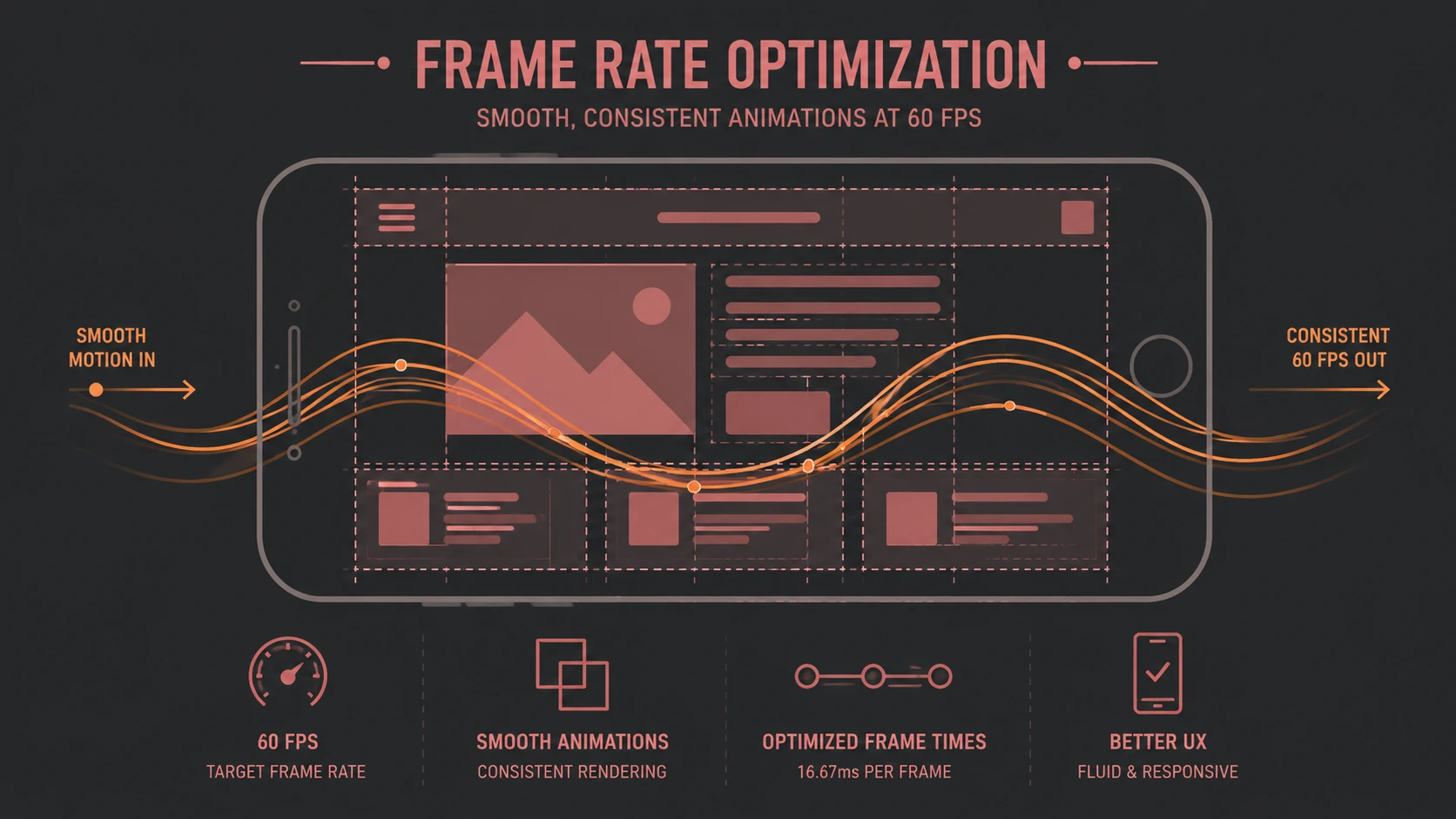
Introduction
Google has unveiled Android 4.1 Jelly Bean, placing a significant emphasis on improving overall system responsiveness through an engineering initiative known as Project Butter. While previous Android releases primarily introduced new platform capabilities, Jelly Bean focuses on refining the user experience by reducing latency, improving frame rendering, and creating a noticeably smoother interface.
For enterprise architects, application developers, and mobile solution providers, Project Butter represents more than a cosmetic enhancement. Responsive interfaces improve employee productivity, reduce perceived application latency, and increase confidence in mobile applications used within business environments.
Android 4.1 also introduces several platform improvements that complement these performance optimizations, making it an important release for organizations investing in Android application development.
Industry Background
The smartphone market has evolved rapidly during the past several years. Mobile operating systems are no longer evaluated solely by available applications or hardware specifications. User experience, responsiveness, animation quality, and interaction consistency have become equally important factors.
Although Android has achieved widespread adoption across numerous hardware manufacturers, performance consistency has varied between devices. Differences in processor capabilities, graphics hardware, manufacturer customizations, and software optimization have sometimes resulted in inconsistent interface responsiveness.
Google's Project Butter seeks to address these concerns through coordinated improvements across the graphics pipeline, input processing, rendering engine, and system scheduling.
The Business Problem
Enterprise mobility depends heavily on user experience. Even applications with strong business functionality can experience poor adoption if employees perceive them as slow or unreliable.
Organizations deploying Android applications commonly encounter several challenges:
- ◆Inconsistent UI responsiveness across devices
- ◆Touch input latency
- ◆Animation stuttering
- ◆Delayed application transitions
- ◆Reduced user confidence during mobile workflows
- ◆Increased support requests caused by perceived application slowness
While many of these issues originate from hardware diversity, operating system optimization plays an equally important role.
Understanding Project Butter
Project Butter is Google's coordinated effort to improve interface smoothness throughout Android 4.1.
Rather than introducing a single optimization, Project Butter combines multiple engineering enhancements designed to improve the responsiveness of the entire rendering pipeline.
Major objectives include:
- ◆Consistent frame rendering
- ◆Faster touch response
- ◆Reduced animation latency
- ◆Improved graphics synchronization
- ◆Better CPU scheduling during user interaction
- ◆Smoother scrolling throughout the operating system
The initiative aims to make interface interactions feel immediate while maintaining compatibility with existing Android applications.
Core Architecture
Project Butter enhances several components of Android's graphics and input architecture.
| Component | Responsibility |
|---|---|
| Input System | Captures touch events |
| Event Dispatcher | Routes user interaction |
| UI Toolkit | Processes interface updates |
| Rendering Pipeline | Draws interface components |
| Graphics Hardware | Displays rendered frames |
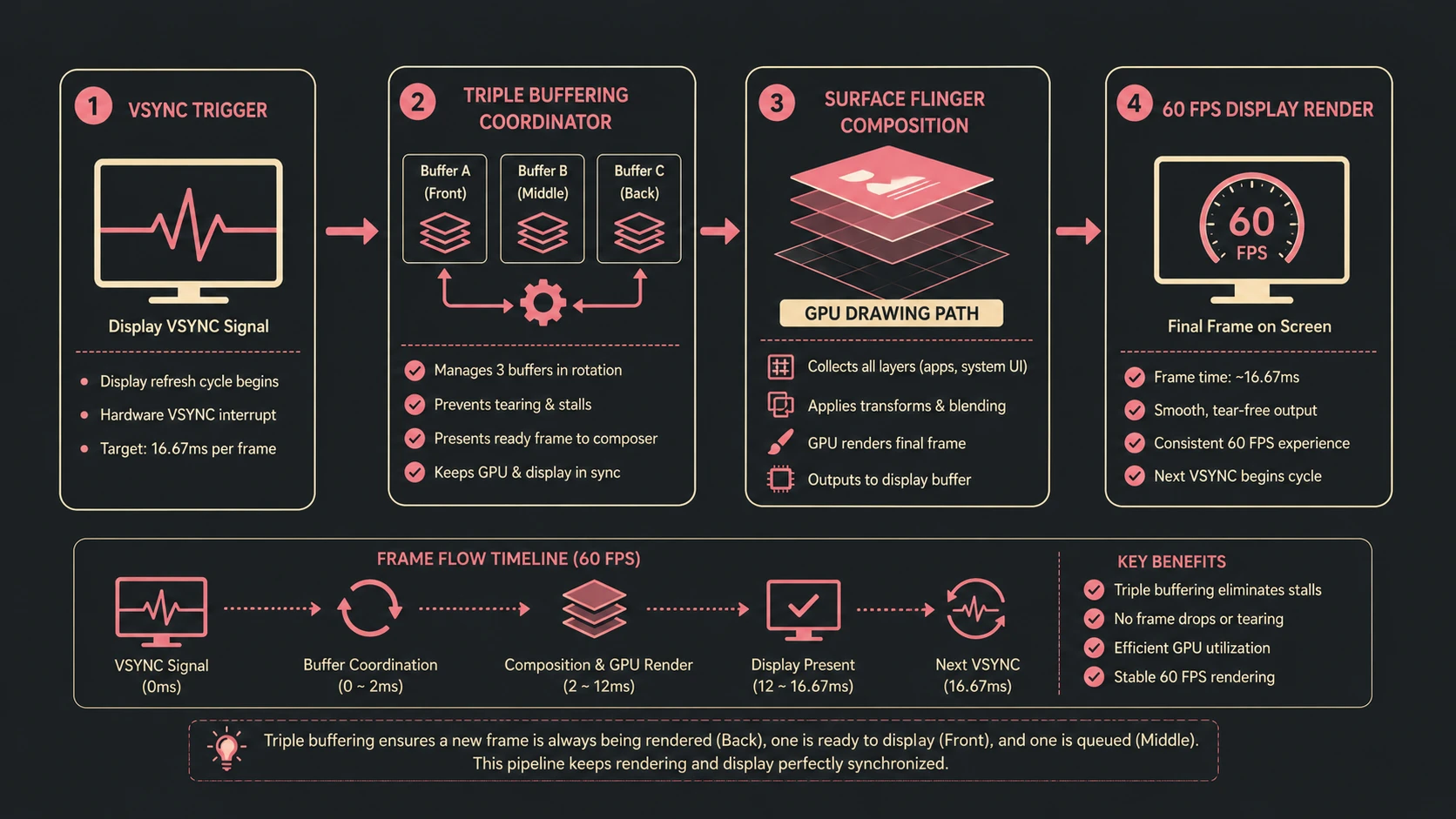
| VSync Timing | Synchronizes rendering with display refresh |
| Triple Buffering | Reduces rendering delays |
These components work together to reduce latency between user input and visible interface updates.
How Project Butter Works
Project Butter introduces synchronization improvements throughout the rendering process.
A simplified workflow includes:
- 1.User touches the display.
- 2.Input events are prioritized.
- 3.CPU scheduling favors interactive workloads.
- 4.Rendering is synchronized with display refresh timing.
- 5.Triple buffering helps maintain a steady graphics pipeline.
- 6.Frames are presented more consistently.
- 7.Scrolling and animations appear smoother.
Rather than relying solely on faster processors, Google focuses on improving coordination between hardware and software.
Key Features
Android 4.1 introduces several enhancements beyond Project Butter.
Project Butter
Improves animation smoothness, touch responsiveness, and rendering consistency.
Enhanced Notifications
Applications can present richer notifications with expanded layouts and additional actions.
Improved Voice Capabilities
Voice interaction receives enhancements intended to provide faster and more natural responses.
Better Widgets
Widgets become more flexible, allowing automatic resizing and improved home screen organization.
Smarter User Experience
Numerous interface refinements contribute to a more polished operating system without requiring application changes.
Enterprise Use Cases
Organizations developing Android solutions can benefit from Jelly Bean in several scenarios.
Mobile Workforce Applications
Field employees experience smoother interaction while accessing business systems.
SDK framework stack showing unified platform layouts for unified target devices.
Sales Enablement
Responsive presentations and product catalogs improve customer demonstrations.
Executive Dashboards
Interactive reporting applications benefit from reduced interface latency.
Healthcare Mobility
Medical staff using tablets and handheld devices require predictable interface responsiveness during time-sensitive workflows.
Retail Solutions
Customer-facing kiosks and point-of-service applications benefit from improved scrolling and navigation.
Performance Considerations
Project Butter primarily addresses perceived performance rather than raw computational speed.
Expected improvements include:
- ◆Reduced input latency
- ◆More consistent frame rendering
- ◆Improved scrolling performance
- ◆Better animation timing
- ◆Smoother screen transitions
- ◆Increased responsiveness under interactive workloads
Application developers should continue following efficient rendering practices because operating system improvements cannot compensate for poorly optimized applications.
Security Considerations
Android 4.1 maintains the platform's established application security model.
Enterprise developers should continue to implement:
- ◆Secure application authentication
- ◆Permission minimization
- ◆Encrypted network communication
- ◆Secure local data storage
- ◆Proper session management
- ◆Application signing
Project Butter focuses primarily on performance rather than introducing major changes to Android's security architecture.
Scalability
From an application perspective, smoother rendering supports more sophisticated interfaces while maintaining acceptable responsiveness.
Developers should nevertheless design applications that:
- ◆Minimize unnecessary redraw operations
- ◆Optimize graphics resources
- ◆Avoid blocking the user interface thread
- ◆Manage memory efficiently
- ◆Test across multiple hardware configurations
Android's hardware diversity continues to require careful performance validation.
Best Practices
Organizations adopting Android 4.1 should consider the following recommendations.
- ◆Test applications on representative hardware.
- ◆Optimize layouts for efficient rendering.
- ◆Reduce unnecessary background processing.
- ◆Keep user interface operations responsive.
- ◆Minimize graphics overdraw.
- ◆Profile application performance regularly.
- ◆Validate touch interactions under realistic workloads.
- ◆Design adaptive interfaces for multiple screen sizes.
Common Mistakes
| Mistake | Enterprise Impact |
|---|---|
| Blocking the UI thread | Poor responsiveness |
| Excessive background work | Battery consumption |
| Inefficient layouts | Slow rendering |
| Large bitmap resources | Increased memory usage |
| Inadequate device testing | Inconsistent user experience |
| Ignoring animation performance | Reduced usability |
Developers should view Project Butter as an opportunity to complement, rather than replace, application-level optimization.
Technology Comparison
| Capability | Android 4.0 Ice Cream Sandwich | Android 4.1 Jelly Bean |
|---|---|---|
| User Interface Responsiveness | Good | Improved |
| Rendering Synchronization | Standard | Enhanced |
| Triple Buffering | Limited | Improved |
| Touch Responsiveness | Good | Enhanced |
| Notifications | Basic Rich Notifications | Expanded Capabilities |
| Widget Flexibility | Standard | Improved |
Jelly Bean focuses on refinement rather than introducing a completely redesigned user interface.
Adoption Strategy
Organizations planning Android application deployments should evaluate Android 4.1 as part of their mobility strategy.
Recommended steps include:
- 1.Test existing applications on Jelly Bean.
- 2.Measure interface responsiveness.
- 3.Review graphics-intensive screens.
- 4.Optimize rendering performance.
- 5.Validate enterprise security policies.
- 6.Update quality assurance procedures.
- 7.Educate development teams on performance best practices.
- 8.Deploy incrementally across supported devices.
A structured rollout reduces deployment risk while allowing organizations to verify compatibility with existing enterprise applications.
Limitations
Although Project Butter represents a meaningful advancement, several considerations remain.
- ◆Hardware differences continue to influence performance.
- ◆Manufacturer software customizations may affect responsiveness.
- ◆Legacy applications still require optimization.
- ◆Device fragmentation remains an important consideration for Android developers.
- ◆Some improvements depend upon compatible hardware capabilities.
Organizations should therefore continue comprehensive device testing before large-scale deployments.
Looking Ahead
From the perspective of May 2012, Android 4.1 Jelly Bean demonstrates Google's commitment to improving not only Android's feature set but also the quality of the overall user experience. Project Butter establishes a strong engineering foundation for smoother interaction, while enhancements to notifications, widgets, and platform responsiveness strengthen Android's position as a capable operating system for both consumer and enterprise mobility.
If Google continues refining system performance while expanding enterprise capabilities and developer tools, Android is well positioned to support increasingly sophisticated mobile business applications across a broad ecosystem of hardware manufacturers.